How to Invoice International Clients (Complete Guide)
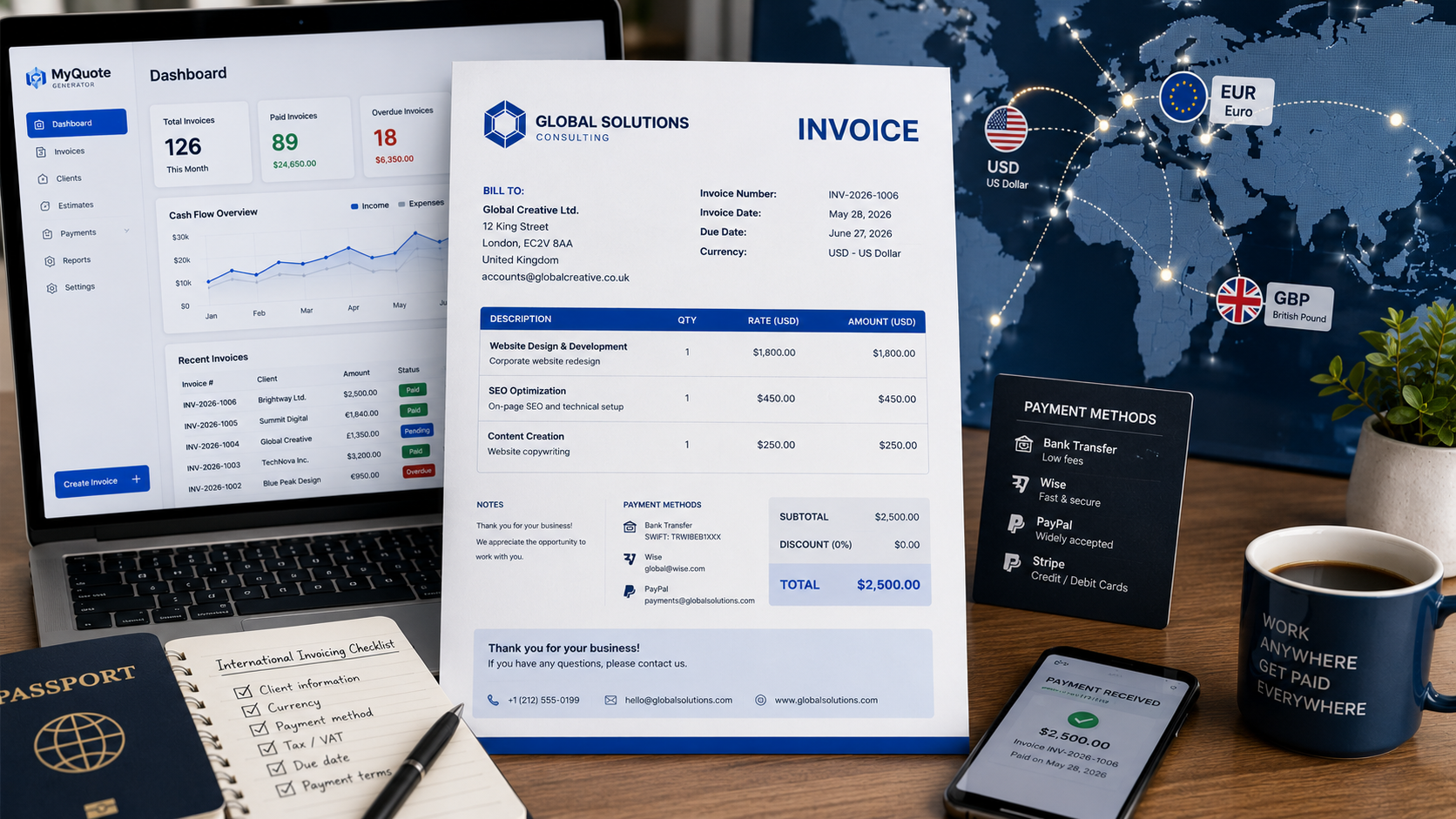
How to Invoice International Clients (Complete Guide)
Working with international clients can open up exciting opportunities for freelancers, consultants, agencies, and small businesses.
However, invoicing overseas customers introduces additional considerations such as currencies, payment methods, taxes, and international transfer fees.
If you want to streamline billing, using an invoice generator can help create professional invoices quickly.
The good news is that international invoicing doesn't need to be complicated. With a few best practices, you can create professional invoices and get paid efficiently from clients anywhere in the world.
Why International Invoicing Is Different
When invoicing clients in another country, you may need to consider:
- Currency selection
- Exchange rates
- Payment methods
- International transfer fees
- Tax requirements
- Local regulations
Addressing these factors upfront helps avoid confusion and payment delays.
What Information Should an International Invoice Include?
Most international invoices contain the same information as domestic invoices:
- Your business name and contact details
- Client information
- Invoice number
- Invoice date
- Due date
- Description of services
- Total amount due
In addition, international invoices should clearly specify the currency being used.
Example:
USD $2,500
EUR €2,300
GBP £1,900
Choose the Right Currency
One of the first decisions is determining which currency to invoice in.
Invoice in Your Currency
Benefits:
- Easier accounting
- Predictable revenue
- No exchange-rate risk
Invoice in the Client's Currency
Benefits:
- Simpler for the client
- May improve payment speed
- Often preferred by larger organizations
Many freelancers choose the currency that is most convenient for the client.
Include Payment Instructions Clearly
International clients may not be familiar with your preferred payment process.
Clearly provide:
- Payment method
- Account details
- Payment reference instructions
- Due date
Reducing uncertainty helps speed up payment.
Popular International Payment Methods
Common options include:
- Bank Transfer
- Wise
- PayPal
- Stripe
- Payoneer
Choose payment methods that are widely available and cost-effective for both parties.
Understand Taxes
Tax requirements vary significantly depending on:
- Your country
- Your client's country
- The type of service provided
Consider consulting a qualified accountant if you regularly work with international customers.
Important information often includes:
- Tax registration numbers
- VAT information
- Business registration details
Set Clear Payment Terms
International invoices should always include:
- Due date
- Payment terms
- Late payment policies
Examples:
- Due on Receipt
- Net 15
- Net 30
Clear expectations reduce misunderstandings.
Common International Invoicing Mistakes
Not Specifying Currency
Never assume the client knows which currency applies.
Ignoring Transfer Fees
International payments may involve banking charges.
Clarify who is responsible for these fees.
Missing Payment Details
Incomplete instructions can delay payment by days or weeks.
Failing to Consider Exchange Rates
Currency fluctuations can impact revenue if invoices remain unpaid for long periods.
Tips to Get Paid Faster
- Send invoices immediately
- Use professional invoice templates
- Offer multiple payment methods
- Display payment instructions clearly
- Follow up on overdue invoices promptly
Professional communication is especially important when working across borders.
Final Thoughts
International clients can become valuable long-term customers when invoicing processes are clear and professional. By choosing the right currency, providing complete payment instructions, and setting clear expectations, you can reduce delays and improve your chances of getting paid on time.
Need professional invoices for clients anywhere in the world? Create them in minutes using MyQuoteGenerator's free invoice generator.
Create professional invoices in seconds
Free invoice generator — no sign-up required
Create Free Invoice →