How to Write a Professional Quote for a Client (With Examples)
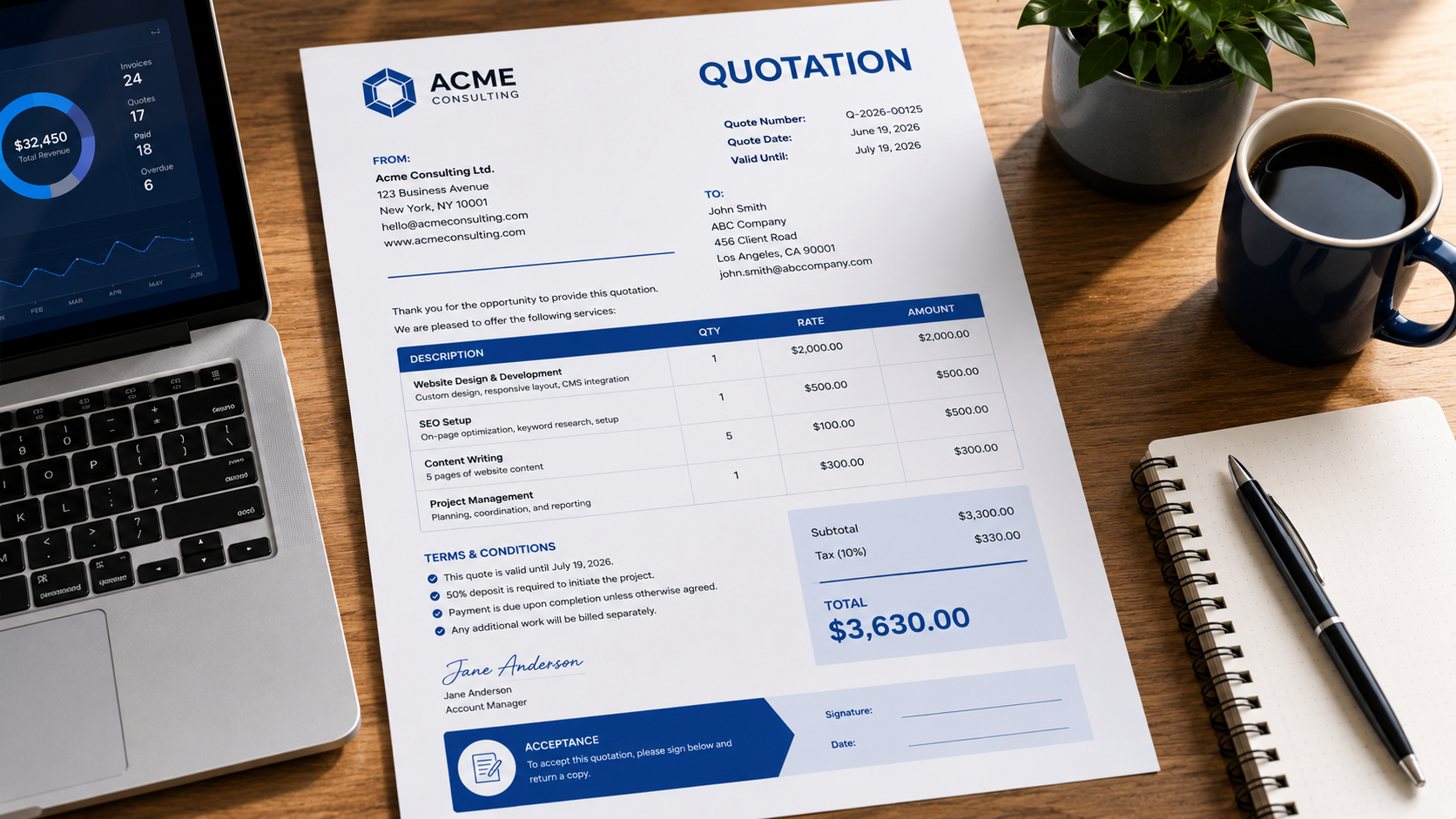
How to Write a Professional Quote for a Client (With Examples)
Before starting work for a client, it's important to clearly communicate what you will deliver, how much it will cost, and any terms that apply. That's where a professional quote comes in.
Simplify your billing with an professional invoice generator that helps you create invoices in seconds.
A well-prepared quote helps clients make informed decisions while protecting both parties from misunderstandings later.
In this guide, you'll learn how to write a professional quote, what information to include, and how to improve your chances of winning more business.
What Is a Business Quote?
A quote, also called a quotation, is a document that outlines the expected cost of products or services before work begins.
Unlike an invoice, which requests payment for completed work, a quote is provided beforehand so the client can review and approve the proposed costs.
Quotes are commonly used by:
- Consultants
- Agencies
- Contractors
- Designers
- Freelancers
- Service businesses
Why Professional Quotes Matter
A professional quote helps:
- Set clear expectations
- Avoid pricing disputes
- Demonstrate professionalism
- Increase client confidence
- Improve project approval rates
Clients often compare multiple suppliers. A clear and professional quote can help your business stand out.
Information Every Quote Should Include
1. Your Business Information
Include:
- Business name
- Email address
- Phone number
- Website
- Business address
2. Client Information
Include:
- Client name
- Company name
- Contact details
3. Quote Number
Use a unique quote number.
Example:
Q-2026-001
This makes tracking easier and improves organization.
4. Quote Date
Include the date the quote was issued.
Example:
June 19, 2026
5. Expiration Date
Quotes should not remain valid forever.
Example:
Valid for 30 days from the issue date.
This protects you from future price changes.
6. Description of Services
Clearly explain what is included.
Example:
- Website design
- SEO consulting
- Monthly bookkeeping
- Social media management
Specific descriptions reduce misunderstandings.
7. Pricing Breakdown
Present pricing clearly.
| Description | Quantity | Rate | Amount |
|---|---|---|---|
| Website Design | 1 | $2,000 | $2,000 |
| SEO Setup | 1 | $500 | $500 |
Subtotal: $2,500
Tax: $250
Total: $2,750
8. Terms and Conditions
Include important information such as:
- Payment schedule
- Deposit requirements
- Project timeline
- Revision limits
Example Quote Structure
A professional quote generally follows this order:
- Business information
- Client information
- Quote number
- Quote date
- Services description
- Pricing table
- Total amount
- Terms and conditions
- Acceptance section
Common Mistakes to Avoid
Vague Service Descriptions
Avoid:
"Marketing Services"
Instead use:
"Monthly SEO Optimization and Reporting"
Missing Validity Period
Without an expiration date, clients may expect old pricing months later.
Hidden Costs
Always be transparent about fees and taxes.
Overly Complex Pricing
Simple pricing is easier for clients to approve.
Tips to Win More Projects
Make the Quote Easy to Read
Use:
- Clear headings
- Logical sections
- Consistent formatting
Focus on Value
Instead of only listing prices, explain outcomes and deliverables.
Respond Quickly
Clients often choose suppliers who respond first with a professional proposal.
Use Professional Templates
Presentation matters.
A polished quote builds trust before the project even begins.
Quote vs Estimate
Many businesses use quotes and estimates interchangeably, but there is a difference.
A quote generally provides a fixed price.
An estimate provides an approximate cost that may change.
For a detailed comparison, read our guide on Invoice vs Quote vs Estimate.
Final Thoughts
A professional quote is often the first business document a client sees. Clear pricing, accurate service descriptions, and professional formatting can improve approval rates and help establish trust from the beginning.
Need to create a quote quickly? Use MyQuoteGenerator's free quote generator to create professional quotations in minutes.
Create professional invoices in seconds
Free invoice generator — no sign-up required
Create Free Invoice →